
Credits
How credits meter AI work, what consumes them, and where to see your balance.
Credits are how AI work is metered in Multilo. Rather than charging a flat fee per message, Multilo meters the actual work a request takes — so a quick one-line edit costs very little, and a long autonomous draft costs more. This page explains exactly how a credit is spent.
What a credit is
A credit is a small, fixed unit of AI work: 1 credit = $0.01. Your plan includes a monthly allowance of credits, and every request that calls an AI model draws down from that allowance based on how much work it took.
How a credit is spent
AI models read and write tokens — roughly, pieces of words (a token is about four characters). Every model request has two sides, and both are metered:
Input tokens — everything the model reads: your message, the part of your document in play, the sources it pulls from your library, and the conversation so far.
Output tokens — everything the model writes back: the answer, the drafted text, or the edits it proposes.
The credits a request costs come from the number of tokens on each side, priced at the rate of the model you chose. More text in or out means more tokens, which means more credits — the cost is proportional to the work, not a flat per-message charge.
It's per request, and an agent makes many
A single chat reply is one model request. An agent run is a sequence of them — read, reason, draft, revise — and each step that calls the model is metered. That’s why a multi-step Full Draft Writer run costs more than a quick question. Local steps an agent takes between model calls — reading a file, searching your project — don’t cost credits on their own.
What makes a task cost more or less
| Costs more | Costs less |
|---|---|
| A more capable model tier (flagship models are priced higher per token) | A fast, economical model tier |
| Long inputs — a whole document, many sources, a long chat | A short, focused prompt that points at just what’s needed |
| Long outputs — drafting whole sections | A brief answer or a small, targeted edit |
| A deep agent MODE with many steps | A light MODE or a single pass |
One thing quietly works in your favor: when the same context is reused across requests in a session, the repeated part is billed at a cheaper cached rate, so a back-and-forth conversation costs less than re-sending everything each time would suggest.
A rough sense of scale
A quick one-paragraph cleanup on a fast model costs a fraction of a credit. A full multi-section draft on a flagship model can cost several credits. Matching the model and MODE to the task is the simplest way to keep spend down.
What consumes credits
Anything that calls a model — chat, inline suggestions, and agents like the Full Draft Writer and Claim Check — uses credits. Local-only work does not: opening and editing files, viewing images, browsing your library, and searching by keyword all run on your machine and are free.
Seeing where your credits went
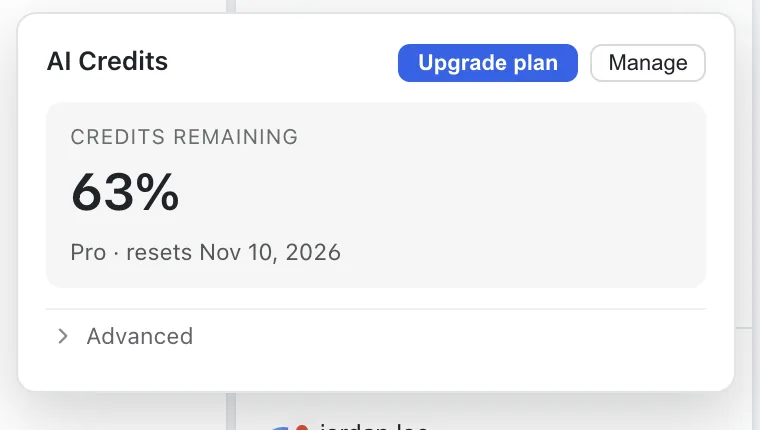
Your current balance is shown in the app. While it’s confirming the latest figure it shows a brief placeholder rather than a stale number, so you’re never misled into thinking you’re out of credits when you aren’t. The AI Credits panel breaks your usage down by feature and by model for the current period — so you can see exactly which work spent the most and adjust.
Free monthly credits
The free tier includes a monthly allotment of credits that refreshes each month. Paid plans add more, plus premium models.
No surprises
Overage is opt-in. You won’t be charged beyond your plan’s allowance unless you choose to enable it; if you do, extra credits are billed at $0.01 each. See plans & billing.