
Agents overview
What an agent is, how to run one, how to pick a model, and how MODES change an agent's depth and behavior.
Agents are focused AI workers that read and edit your document with the whole project as context. Some do one small thing well (make this concise); others run for minutes to produce a whole cited draft. They all work on your real document.
What is an agent
An agent is a pre-built specialist with a job, a set of tools, and a point of view. A citation agent knows one reference style cold; the Claim Check agent fetches sources and checks claims; the Full Draft Writer researches, outlines, and drafts. Because they share your project’s library and document, their work is grounded in your sources, not generic text.
Running an agent
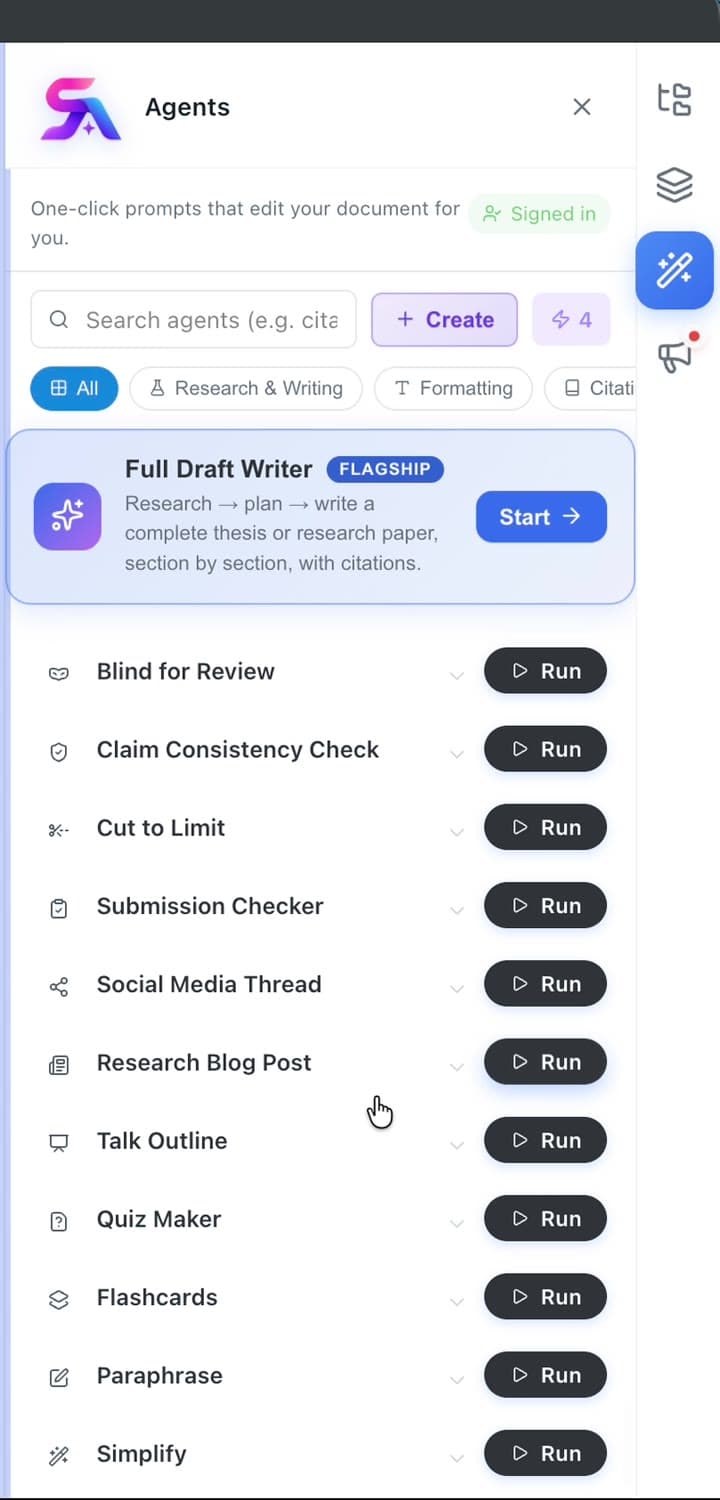
Open the Agents panel, pick an agent, and run it on the open document. You can choose which model it uses per run — a fast model for quick passes, a premium model for harder work — and watch its progress as it edits. You can also ask chat to hand a job to an agent for you.
MODES
Many agents offer MODES — depth levels that change how far the agent goes. A light mode makes a quick, surgical pass; a deeper mode does more thorough work and produces more output. Pick the mode that matches the stakes of the task.
MODES were previously called Volumes
If you’ve seen “Volumes” in older material, that’s the same feature under its earlier name.The Agents Library
The Agents Library is the catalog of agents available to you — a large set of research-focused specialists for humanizing AI-sounding prose, conciseness, methodology review, abstract writing, plain-language rewriting, translation, math explanation, and citation styles. You can also build your own and it appears alongside the rest with a YOURS chip.
Signature agents
Want more than agents can do out of the box? They can also run code and use tools, and remember things across sessions.