
Agent tools & Agent Compute
What agents can do beyond writing — read and search your project, and run code to handle tasks no built-in tool covers.
Agents do more than write. They can read your project, search it, and run code — which is how Multilo turns a request like “graph this CSV” or “pull the tables out of this PDF” into a real result instead of a guess.
Reading & searching
Agents can read the documents in your project — including the text of PDFs and Office files — search across everything you’ve added, and edit your draft. This grounding is what lets them work from your actual sources rather than generic text. See Super Search and files & folders.

Running code
When no built-in tool fits, an agent can write and run code to get the job done — so almost any file can become almost any outcome: a chart from a CSV, text extracted from a PDF, a converted format, a quick analysis. You don’t set any of this up; the agent decides when code is the right tool and runs it for you.
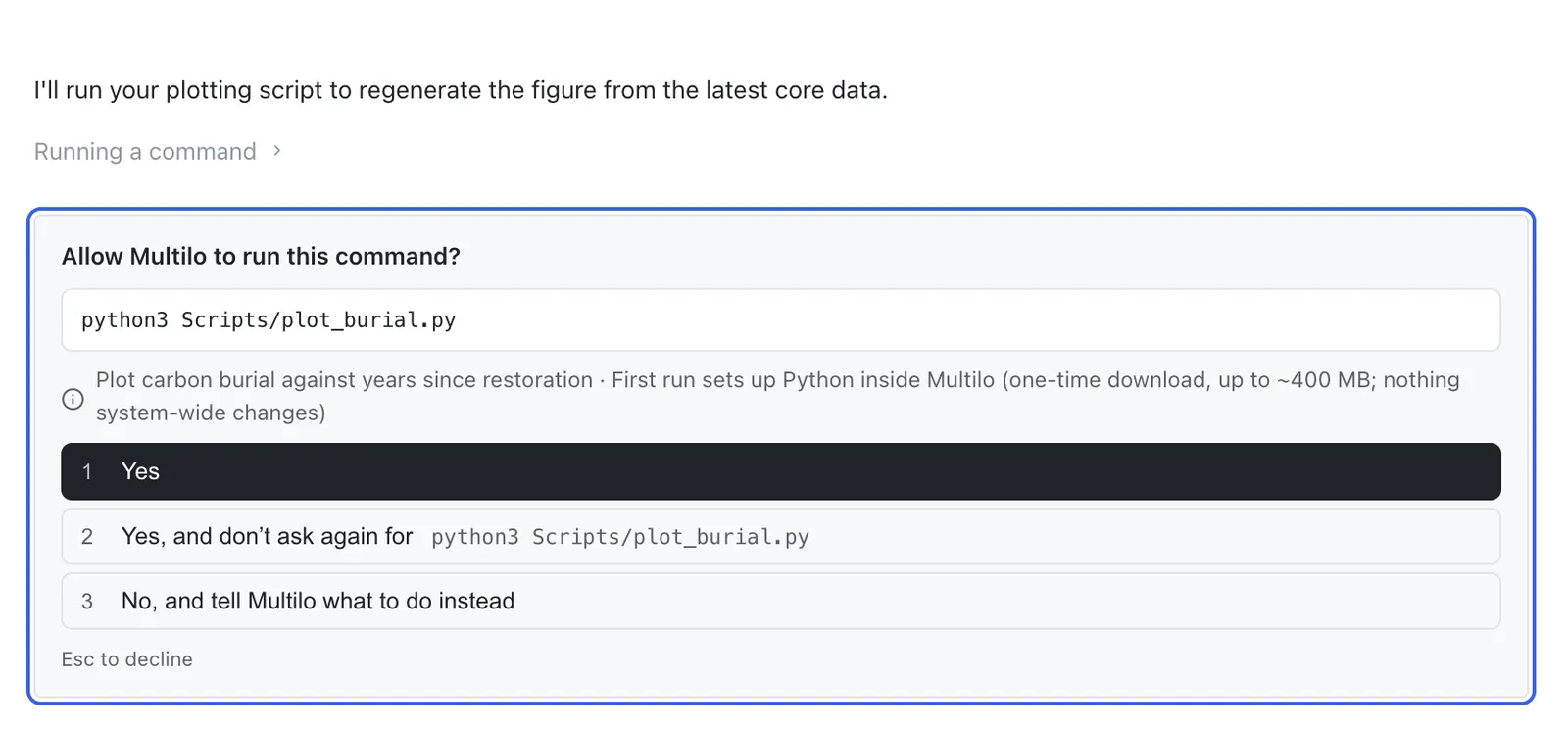
Safe and permissioned
Code runs in a secure, isolated environment and is capped so a long job never freezes the app — even on a very large document. For heavier work, an agent asks your permission before going further, so nothing runs outside what you allow. As always, this happens locally; your files don’t leave your machine except when a model is called.
It just works
You never configure runtimes or environments. Ask for the outcome you want and the agent figures out whether — and how — to use code to get there.